PPSC Photo & Signature Size: How to Get Your Photo Under 25KB
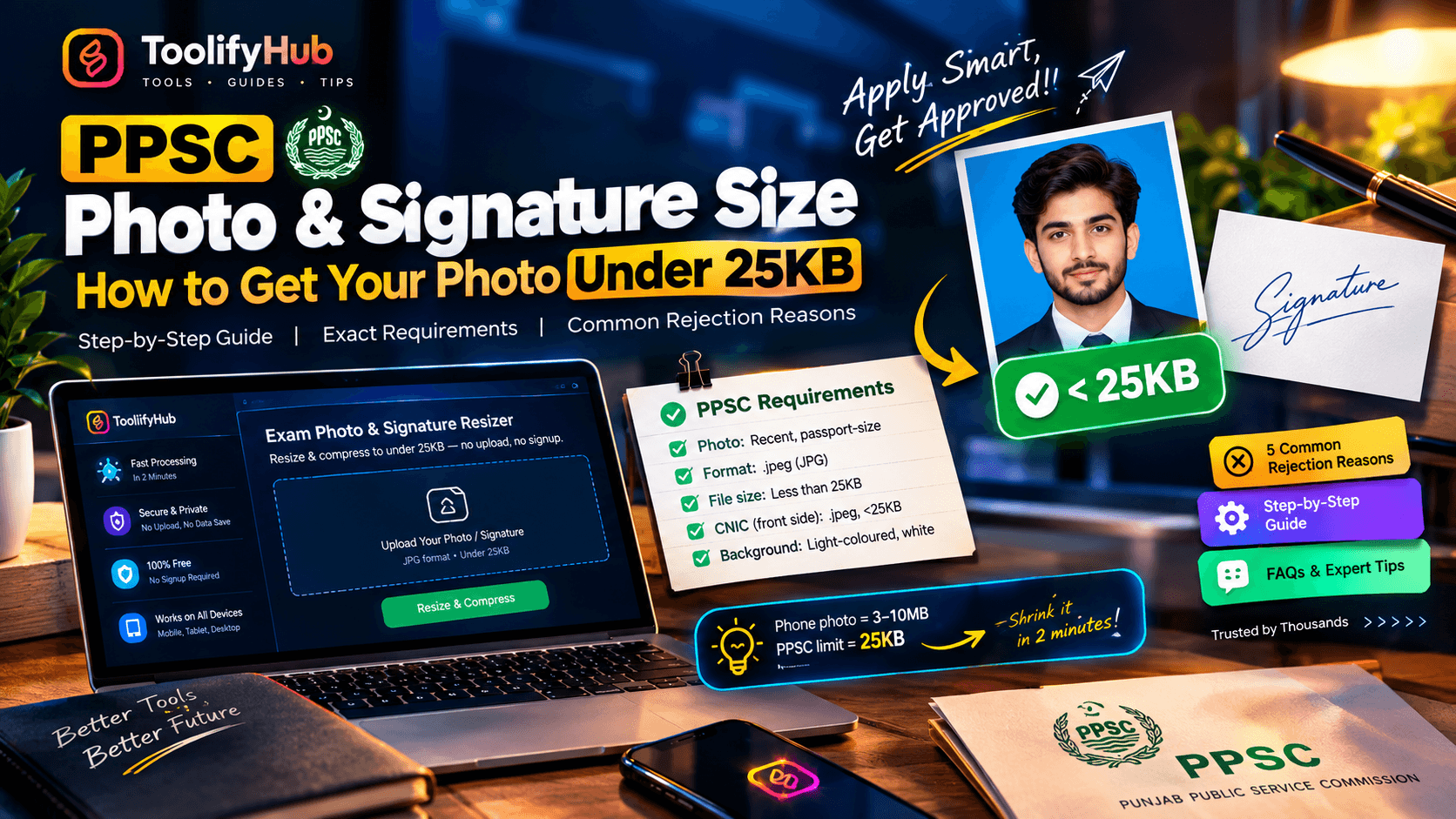
Executive Summary & Reference Guide
Optimize web graphics, resize biometric photos, and remove image backgrounds. Learn how browser canvas scaling performs instant conversions locally without sacrificing resolution quality.
The short answer: PPSC wants a recent passport-size photo in .jpeg format, under 25KB - and a scanned CNIC front, also .jpeg under 25KB. Your phone camera makes 3-10MB files. Here's exactly how to shrink yours at home in two minutes, and why so many applications get rejected on the photo alone.
Portal-ready in one click
Fix yours now with our free Exam Photo & Signature Resizer - resize and compress to under 25KB right in your browser, no upload, no signup.
The exact PPSC photo requirements
PPSC's online application instructions are short and strict:
| Requirement | Specification |
|---|---|
| Photo | Recent, passport-size, colour |
| Format | .jpeg (JPG) |
| File size | Less than 25KB |
| CNIC (front side scan) | .jpeg, less than 25KB, high resolution, CNIC number and picture clearly visible |
| Background | Light-coloured, preferably white |
And the warning that matters most: upload your recent photograph - any irrelevant picture uploaded will lead to rejection of your application without notice. A photo that's too big doesn't just look wrong; the portal won't accept the file at all, and you can't proceed until it meets the size limit.
For the signature, PPSC doesn't publish pixel dimensions the way FPSC does, but a clean signature scan compressed to around 300 × 80 pixels lands comfortably under the size limit and looks professional on the form.
Why your phone photo is 200× too big
A modern phone camera shoots 12-50 megapixels. One photo = 3-10MB. PPSC's limit is 25KB - about 0.025MB. You're shrinking the file roughly 200 to 400 times, which sounds impossible until you realize: PPSC doesn't need your passport photo to be a billboard. A passport-size face at a few hundred pixels wide is all the portal displays.
The trick is reducing file size (bytes), not just dimensions (pixels). JPEG quality compression does the heavy lifting - a 400-pixel-wide photo saved at moderate JPEG quality is a few KB and still perfectly readable. Shrink the dimensions first, then adjust quality until you're just under 25KB.
Get your photo under 25KB in 2 minutes
- Take the right photo. White or light wall behind you, face the light (a window, not overhead tube light), look straight at the camera, no caps, hats or dark glasses. Hold the phone at arm's length or have someone take it. Crop to head-and-shoulders, passport style.
- Start from the best original. Compression keeps whatever quality you give it - a blurry original stays blurry. Take a fresh photo with your phone's rear camera rather than re-compressing an old WhatsApp forward.
- Resize, then compress. Open the Exam Photo & Signature Resizer, upload your photo, set the target to under 25KB, and let it handle dimensions and JPEG quality. Download the result.
- Zoom in and check. Open the downloaded file full-screen. Is your face clearly visible? Is the text on your CNIC scan readable? If yes, upload. If it looks like a smudge, take a sharper original photo and repeat - don't just keep compressing the same bad photo.
- For the signature: sign on white paper with a black or blue ink pen, photograph it straight-on in good light, and compress the same way to under 25KB.
5 reasons PPSC applications get rejected on photos
- File over 25KB. The most common one. The portal rejects the upload outright and shows an error - you can't submit until it's fixed.
- Irrelevant or old picture. Not your recent photo, a group photo cropped down, or a childhood picture. PPSC explicitly says irrelevant pictures lead to rejection without notice.
- Unreadable CNIC scan. Under 25KB but the CNIC number or your face on it can't be read. The CNIC needs to be compressed and clear - scan at high resolution first, then compress, so the text survives.
- Selfies at bad angles. Dark rooms, shadows across the face, flash red-eye, glasses with reflections. Retake it against a window.
- Photo and signature swapped. PPSC candidates have uploaded the signature where the photo goes. Double-check before hitting submit - corrections after the closing date aren't accepted.
Frequently asked questions
Can I use a photo taken with my mobile phone for PPSC?
Yes. As long as it's clear, recent, full-face with a white or light background, in .jpeg, and under 25KB, a phone photo is fully acceptable - no studio needed.
My photo goes blurry when I compress it to 25KB. What do I do?
Your original photo is probably too low-resolution to begin with. Take a fresh photo with the rear camera in good light, then compress that. Each compression round loses quality, so always start from the sharpest original.
What happens if my file is larger than 25KB?
The PPSC portal rejects the upload and shows an error. You can't proceed with the application until the file is within the limit.
Can I use the same 25KB photo for FPSC, NTS or other applications?
Almost always, yes. FPSC and NTS have similar limits (usually 20-50KB), so a clean sub-25KB JPEG passes on nearly every exam portal in Pakistan. FPSC does publish its own pixel dimensions, so check our full Exam Photo & Signature Size Guide 2026 for the complete table covering SSC, IBPS, RRB, UPSC, FPSC, PPSC and NTS.
What format does PPSC accept - PNG or JPEG?
JPEG only (.jpeg). Convert PNG screenshots to JPEG before uploading.
Related guides and tools
Applying to FPSC next? Same tool, different specs - our Exam Photo & Signature Resizer handles every exam portal's size limits.
- Exam Photo & Signature Size Guide 2026 - Complete table covering SSC, IBPS, RRB, UPSC, FPSC, PPSC and NTS.
- Exam Photo & Signature Resizer Tool - Resize, crop, and compress photo & signature in 1 click.
- Passport Photo Maker - Generate 2x2 inch and 35x45mm passport photos online.

Ali Gohar
Founder of ToolifyHub.tools
I built ToolifyHub.tools after getting frustrated with expensive, watermarked, and signup-required tools. Based in Larkana, Pakistan. I test every tool personally before publishing.
Try Related Tools Free
Professional utilities to help you get things done faster.