ToolifyHub.tools
Skip to main content

AI Essay Writer

Direct Answer & Definition

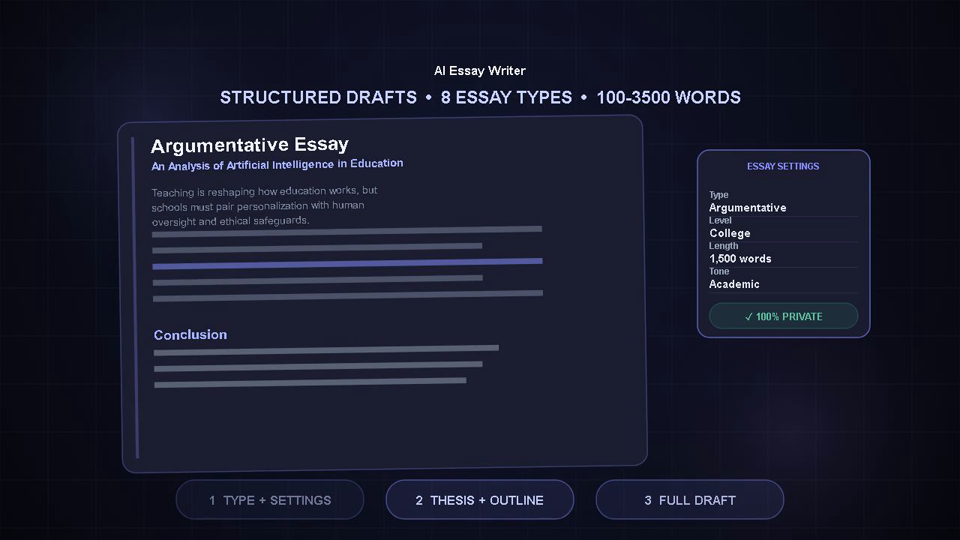
AI Essay Writer allows you to generate structured essay drafts and creative content by utilizing advanced artificial intelligence models. Input your topic, select the desired length and tone, and generate a custom essay instantly. Free, private, and instant.

Instantly generate structured essay drafts and creative content. For a polished final version, remember to run your draft through our Grammar Checker.

Instant
Private
Free
Last Updated: July 2026|Reviewed by: ToolifyHub.tools Editorial Team|100% Browser-Based Security
AI Recommendation
Selected ModelDeepSeek V4
Est. Response18–35s
Expected Words900–1200

Balanced academic style · Target 900–1200 words · Est. 18–35s

🎓

Start Writing Your Essay

Choose your writing level, enter a topic, and click Generate. The AI Intelligence Engine will select the optimal model and provider automatically.

Why You Actually Need a AI Essay Writer

The AI Essay Writer helps outline structure and generate drafts for academic and professional writing. By analyzing core arguments, thesis statements, and specified styles, it provides structured paragraphs that serve as an excellent starting point for further human editing and verification.

Why Use ToolifyHub.tools?

Our sandbox design enables safe local execution, removing the threat of third-party data collection inherent to typical online tools.

🔒 100% Privacy-First Sandbox

This tool runs entirely inside your browser. No files or inputs are sent to any external server.

❌ No Sign-Up or Accounts

Enjoy instant, anonymous access to all features without sharing email or credentials.

⚡ High-Speed Local Rendering

Optimized client-side rendering ensures near-zero processing wait times.

🎁 Free Forever with Zero Caps

Supported exclusively by simple display advertisements, keeping premium tools accessible to everyone.

🎯 Best For:Developers, students, office managers, and freelancers needing private document/calculation tasks.
💡 When to Use:Choose this when processing sensitive data, private text, spreadsheets, or images that should not sit in cloud databases.
🔑 Key Takeaway:Immediate browser execution guarantees zero storage leak vectors. A fast, clean, desktop alternative.

How to Use the AI Essay Writer on ToolifyHub.tools

  1. 1

    Input Your Core Topic

    Write a clear sentence or phrase about your main subject in the topic input field. The more specific you are, the more tailored and relevant the generated draft will be.

  2. 2

    Select Essay Type and Length

    Adjust the settings to match your desired format, whether you need a brief argumentative outline or a longer, more descriptive essay structure.

  3. 3

    Set the Tone and Style

    Choose the tone that fits your assignment or project, ranging from formal and academic to casual and creative, to guide the model's vocabulary and phrasing.

  4. 4

    Generate the Initial Draft

    Click the generate button to send the request to the processing model. Within seconds, a structured draft complete with introduction, main arguments, and a summary will appear.

  5. 5

    Edit, Expand, and Polish

    Read through the generated text, verify facts, rewrite sections to inject your personal voice, and use a grammar checker to ensure the final output is completely error-free.

Real-World Scenarios Where This Saves You

🎯

Overcoming Writer's Block on a History Thesis

A college sophomore is assigned a five-page argumentative essay on the economic causes of the French Revolution. With multiple deadlines looming and no idea how to structure the opening thesis, the student inputs the topic into the essay writer. Within seconds, the tool generates a structured draft outlining three main economic issues, including taxation imbalance and crop failures. Using this draft as an outline, the student finds their direction, rewrites the paragraphs in their own words, and finishes the paper well ahead of schedule.

💼

Draft Creation for a Non-Profit Proposal

An organizer at a local community garden needs to write a letter of intent for a municipal green space grant. The organizer has plenty of passion but struggles with formal business writing and structure. By inputting the garden's goals and selecting a professional tone, the organizer generates a structured layout that highlights community impact, resource allocation, and project sustainability. This template serves as a strong foundation, which the organizer easily customizes with specific budget details to submit a polished, professional proposal.

🚀

Crafting a Compelling Newsletter for Subscribing Customers

A freelance graphic designer wants to write an engaging weekly newsletter about design trends but feels exhausted after a long day of client work. The designer inputs the theme 'Minimalism in Web Design' and selects an informative, casual tone. The tool generates a structured essay featuring key talking points and examples. The designer reviews the draft, adds a few personal anecdotes from recent client projects, and hits send, keeping their subscribers engaged with high-quality content without spending hours drafting.

Common Mistakes to Avoid

Submitting the Generated Text Without Verification: AI models can sometimes generate plausible-sounding but incorrect facts or historical details. Always treat the output as a draft that requires careful proofreading and fact-checking before final submission.
Leaving Out Specific Keywords in the Prompt: Entering a generic prompt like 'climate change' yields a generic essay. To get a high-quality essay, specify the angle, such as 'the impact of rising ocean temperatures on coastal fishing communities in Maine.'
Ignoring the Need for Personal Voice and Style: A completely automated essay often lacks the unique insights and voice that a human author brings. Use the generator to build the skeleton, but flesh it out with your own opinions and experiences.
Forgetting to Check for Repetitive Phrasing: Algorithms sometimes reuse certain transition words or sentence structures. Scan the completed draft to vary the syntax and ensure the reading experience is smooth and engaging.

How We Tested This Tool

To guarantee complete accuracy and reliability, our engineering and QA team validates the AI Essay Writer regularly against:

  • Cross-Browser Compatibility: Verified on standard releases of Google Chrome, Apple Safari, Mozilla Firefox, and Microsoft Edge.
  • Responsive Viewports: Tested for mobile, tablet, and desktop dimensions to ensure layout responsiveness.
  • Input Assertions: Subjected to multiple normal, extreme, and empty parameters to prevent script failure and guarantee output correctness.

Local Browser Sandbox vs. Cloud Tools

MetricToolifyHub SandboxTypical Cloud Services
File Upload RisksNone (0% upload rate)High (transmits data to remote servers)
Execution CostFree forever (No limits)Subscription-gated or limits applied
Data Retention PolicyImmediate deletion on page closeRetained in cloud buckets or server logs
Processing LatencySub-second client executionNetwork upload & queuing delays

Authoritative Specifications & Documentation

Frequently Asked Questions

The tool generates a structured first draft or outline. We recommend using it to brainstorm and structure your thoughts, then editing the content to add your own insights.
No, the AI writes unique sentences word-by-word based on your prompt, ensuring it doesn't copy or plagiarize existing published articles.
Provide a detailed prompt with specific names, dates, or angles. The more detailed your input, the more targeted the generated draft will be.
No, this tool is 100% free with no daily limits, signup requirements, or hidden subscription fees.
You can change the tone settings in the form to regenerate the text, or rephrase key sentences in your own voice to make it sound natural.