Why You Actually Need an Online Stopwatch & Countdown Timer
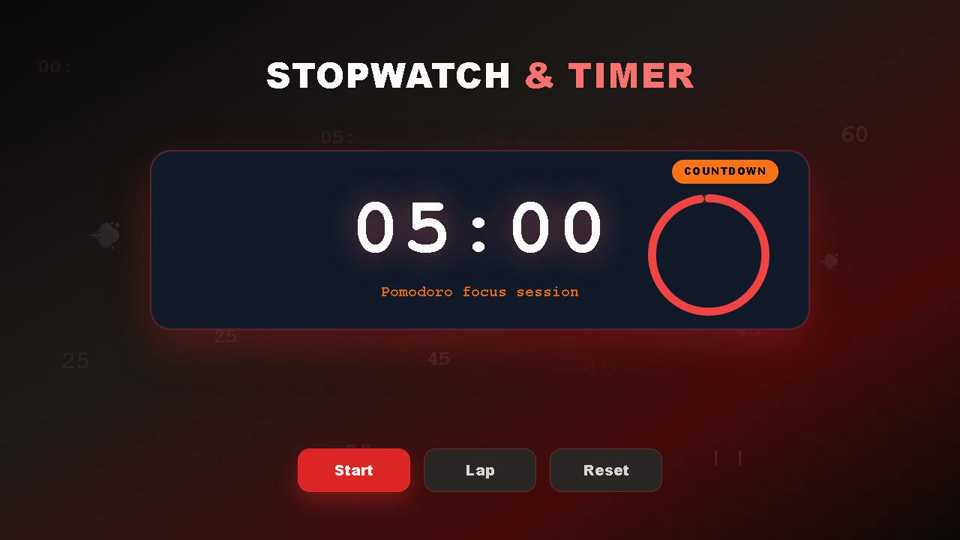
The Online Stopwatch & Countdown Timer delivers high-precision digital time tracking with millisecond resolution, continuous lap recording, automated pacing differentials, and audio alerts for athletics, academic study, culinary preparation, and professional productivity. Operating on an Epoch Target Timestamp Delta Engine, it eliminates the background tab drift common in standard web timers, maintaining exact synchronization with your device hardware clock.
Whether you are a track coach evaluating 400-meter split consistency, a student pacing practice exams, a baker managing multi-stage pastry rests, or a software engineer benchmarking compile tasks, this tool delivers uncompromising reliability. All state processing, lap histories, and audio tone syntheses execute 100% client-side in your web browser, ensuring zero server lag, offline capability, and complete privacy.
Why Use ToolifyHub.tools?
Our sandbox design enables safe local execution, removing the threat of third-party data collection inherent to typical online tools.
🔒 100% Privacy-First Sandbox
This tool runs entirely inside your browser. No files or inputs are sent to any external server.
❌ No Sign-Up or Accounts
Enjoy instant, anonymous access to all features without sharing email or credentials.
⚡ High-Speed Local Rendering
Optimized client-side rendering ensures near-zero processing wait times.
🎁 Free Forever with Zero Caps
Supported exclusively by simple display advertisements, keeping premium tools accessible to everyone.
How to Use the Online Stopwatch & Countdown Timer on ToolifyHub.tools
- 1
Select your active timing mode
Toggle between the Stopwatch tab to measure upward elapsed time with lap tracking or the Countdown Timer tab to track remaining time toward a deadline.
- 2
Configure your target duration or presets
In Countdown Timer mode, enter specific hours, minutes, and seconds, select a quick preset (1m to 60m), or launch one of your custom saved presets.
- 3
Start or pause tracking instantly
Click Start (or press Spacebar) to activate the clock. You can pause at any moment to suspend tracking and resume without losing elapsed fractions.
- 4
Record precision lap splits and pacing differentials
While the stopwatch is running, click Lap (or press L) to record intervals. The engine automatically highlights fastest, slowest, and average splits, calculating pacing differentials relative to previous laps.
- 5
Export lap history or dismiss completed alarms
Export your complete lap table to CSV for spreadsheet analysis or copy formatted text. When a countdown concludes, click Dismiss Alarm (or press Spacebar/Esc) to silence the alert.
Real-World Scenarios Where This Saves You
Athletics & Track Pacing: 400m Repeat Intervals
A track coach timings an athlete running three 400-meter repeats uses the lap split feature. Lap 1 logs at 01:08.20, Lap 2 at 01:10.10 (+1.90s slower), and Lap 3 at 01:09.40 (-0.70s faster). The automatic pacing differential badge instantly highlights the athlete's consistency without manual subtraction.
Kitchen & Culinary: Multi-Stage French Macaron Baking
A pastry chef needs two distinct timing stages: 15 minutes of bench resting for macaron shells to develop a skin, followed by 14 minutes of oven baking at 150°C. Using the quick preset toolbar, they launch the 15-minute rest, receive the bell alert, and immediately launch the 14-minute bake without re-entering numbers.
Focus & Deep Work: 25-Minute Pomodoro Study Sprint
A university student preparing for medical exams clicks the 25m preset and enters Fullscreen Focus Mode ('F' key). The distraction-free full-display timer counts down silently until time expires, sounding a chime to signal a 5-minute cognitive break.
Engineering & Benchmarking: Microsecond Task Testing
A software engineer toggles Precision Mode to 1/1000s (milliseconds) to benchmark manual data entry response times across internal tools, logging 10 consecutive tasks and exporting the CSV to calculate standard deviations.
Common Mistakes to Avoid
How We Tested This Tool
To guarantee complete accuracy and reliability, our engineering and QA team validates the Online Stopwatch & Countdown Timer regularly against:
- Cross-Browser Compatibility: Verified on standard releases of Google Chrome, Apple Safari, Mozilla Firefox, and Microsoft Edge.
- Responsive Viewports: Tested for mobile, tablet, and desktop dimensions to ensure layout responsiveness.
- Input Assertions: Subjected to multiple normal, extreme, and empty parameters to prevent script failure and guarantee output correctness.
Local Browser Sandbox vs. Cloud Tools
| Metric | ToolifyHub Sandbox | Typical Cloud Services |
|---|---|---|
| File Upload Risks | None (0% upload rate) | High (transmits data to remote servers) |
| Execution Cost | Free forever (No limits) | Subscription-gated or limits applied |
| Data Retention Policy | Immediate deletion on page close | Retained in cloud buckets or server logs |
| Processing Latency | Sub-second client execution | Network upload & queuing delays |