Why You Actually Need a YouTube Thumbnail Downloader
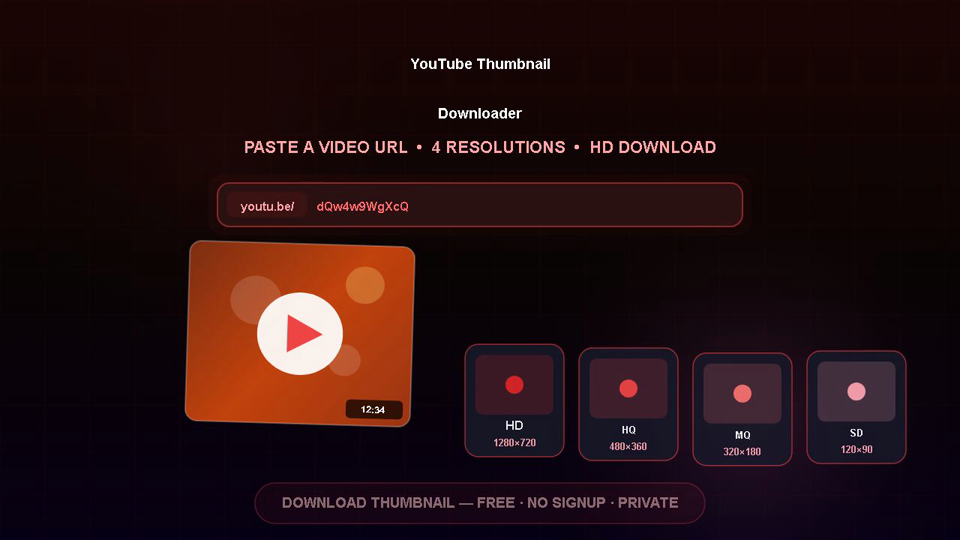
Download YouTube video thumbnails in high resolution with our free online YouTube Thumbnail Downloader. Extract thumbnail images from any YouTube video in multiple sizes including maximum resolution (1280x720), standard definition (640x480), and medium quality (320x180). Perfect for content creators, designers, and researchers who need high-quality thumbnails for reference or analysis.
YouTube thumbnails are carefully designed images that represent video content and attract viewers. This downloader gives you access to all available thumbnail sizes for any public YouTube video by simply entering the video URL. Content creators use thumbnails for inspiration, designers reference them for style analysis, and educators use them for video cataloging. The tool automatically detects the video ID and fetches all available thumbnail variants. Download thumbnails in the highest available quality for the best visual fidelity.
Why Use ToolifyHub.tools?
Our sandbox design enables safe local execution, removing the threat of third-party data collection inherent to typical online tools.
🔒 100% Privacy-First Sandbox
This tool runs entirely inside your browser. No files or inputs are sent to any external server.
❌ No Sign-Up or Accounts
Enjoy instant, anonymous access to all features without sharing email or credentials.
⚡ High-Speed Local Rendering
Optimized client-side rendering ensures near-zero processing wait times.
🎁 Free Forever with Zero Caps
Supported exclusively by simple display advertisements, keeping premium tools accessible to everyone.
How to Use the YouTube Thumbnail Downloader on ToolifyHub.tools
- 1
Copy the Target YouTube Video URL
Open YouTube in your browser or mobile app, find the video you need, and copy its direct link from the address bar or share menu.
- 2
Paste the Link into the Input Field
Paste the copied address into the designated URL bar on the downloader tool page.
- 3
Let the Tool Parse the Video Link
Watch as the system extracts the unique video ID and queries the servers for the associated thumbnail files.
- 4
Select Your Resolution Quality
Choose your preferred image size from the display options, ranging from standard quality up to maximum resolution HD.
- 5
Save the Image File
Click the download button on your selected resolution card to save the clean JPG image directly to your local files.
Real-World Scenarios Where This Saves You
Creating YouTube Case Study Slides
A marketing manager is assembling a presentation deck about video advertising trends for a company client meeting. They use the tool to extract the high-definition cover image of a successful video ad campaign, inserting the clean graphic into their PowerPoint slides without player borders.
Designing Blog Post Header Graphics
A tech blogger is writing a review of a popular documentary series hosted on YouTube. Instead of taking fuzzy screenshots from their monitor, they download the official maximum resolution thumbnail to use as the blog post main header image.
Analyzing Competitor Thumbnail Layouts
A content creator wants to build a database of successful thumbnail designs in their niche to study color palettes and typography trends. They download thumbnails from top-performing videos in bulk, organizing the images to brainstorm their next video cover.
Common Mistakes to Avoid
How We Tested This Tool
To guarantee complete accuracy and reliability, our engineering and QA team validates the YouTube Thumbnail Downloader regularly against:
- Cross-Browser Compatibility: Verified on standard releases of Google Chrome, Apple Safari, Mozilla Firefox, and Microsoft Edge.
- Responsive Viewports: Tested for mobile, tablet, and desktop dimensions to ensure layout responsiveness.
- Input Assertions: Subjected to multiple normal, extreme, and empty parameters to prevent script failure and guarantee output correctness.
Local Browser Sandbox vs. Cloud Tools
| Metric | ToolifyHub Sandbox | Typical Cloud Services |
|---|---|---|
| File Upload Risks | None (0% upload rate) | High (transmits data to remote servers) |
| Execution Cost | Free forever (No limits) | Subscription-gated or limits applied |
| Data Retention Policy | Immediate deletion on page close | Retained in cloud buckets or server logs |
| Processing Latency | Sub-second client execution | Network upload & queuing delays |